How to Resume a Claude Code Session and Pick Up the Task
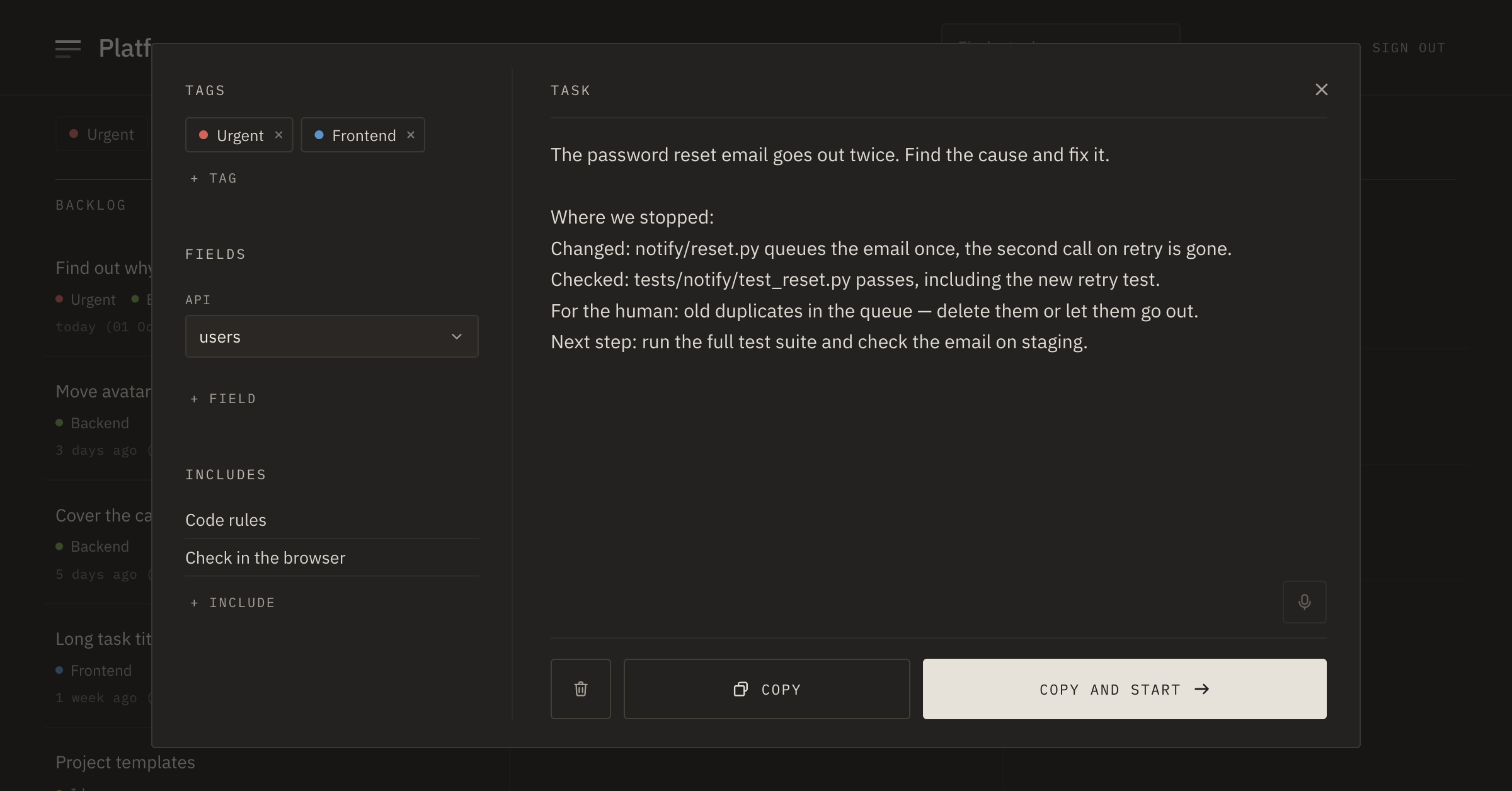
By evening the task is almost done. The agent found why the password reset email goes out twice, fixed the handler and ran the tests. One thing is left: deciding what to do with the old emails still in the queue, but it's late. In the morning the terminal is empty, and it's hard to tell what was already checked and what was only planned.
Reopening the session takes one command. But so you don't have to dig through it in the morning, leave a short note in the task itself in the evening. In Tascue an unfinished task waits in In progress together with that note.
Reopen yesterday's session
Claude Code saves sessions on its own, separately for each project folder. To get back to the latest one, start it from the same folder:
claude --continue
The short form is claude -c. If there were several sessions yesterday, open the list:
claude --resume
The list shows each session's name, how long ago it was active, the branch and the size. Space previews the conversation, Ctrl+B keeps only the current branch, Enter opens the selected session. Inside a running session, /resume does the same.
The easiest way is to name the session the evening before: /rename double-reset-email. Then in the morning it opens right away:
claude --resume double-reset-email
What comes back and what doesn't
The conversation comes back, along with tool calls and their results, the model and the permission mode. Tool calls interrupted on exit are not run again. Background commands and monitors don't come back either. Flags like --add-dir and --mcp-config have to be passed again. Sessions are kept for 30 days.
When a fresh session is better
Continuing works well when things went smoothly and you need all of yesterday's history. Start a fresh session in three cases:
- the history is long, and you need one conclusion from it;
- yesterday's approach hit a dead end, and you don't want to drag it along;
- the next step is a different task.
After a long break, Claude Code may ask whether to resume the conversation and show how much of your limit the old history alone would use. If the next step doesn't need it, start a new conversation: the old one is always there in /resume.
A fresh session has one problem: it knows nothing about yesterday. That's why you need a short note in the evening.
A note you can pick up from
Before you leave, ask the agent to write down where you stopped. Four lines are enough:
Changed: notify/reset.py queues the email once,
  the second call on retry is gone.
Checked: tests/notify/test_reset.py passes, including the new retry test.
For the human: old duplicates in the queue — delete them or let them go out.
Next step: after the decision, run the full test suite and check the email on staging.
In the morning, a note like this tells you in a minute what's yours to decide and what the agent does. You can paste it into the resumed session or at the start of a new one.
Where to keep the note
If the note lives in the conversation, you can only find it by opening that same session. If it lives in the task, it doesn't matter which session you open in the morning.
In Tascue an unfinished task stays in the In progress column, and the note goes right into its text. Over MCP the agent does this itself. In the morning the task builds a prompt with both the original expectations and the point where you stopped. And in the evening you can leave the work halfway without worry: the next step is written down, so you don't have to keep it in your head.