How to queue several tasks for Claude Code and other AI agents
Usually we give tasks to the agent through the clipboard: copy the prompt, paste it into the agent. But some evenings the backlog has three or four small tasks, each written up and clear, and copying them one at a time, waiting for each to finish, isn't appealing. You want to hand them over together and go have dinner.
Three tasks for the evening
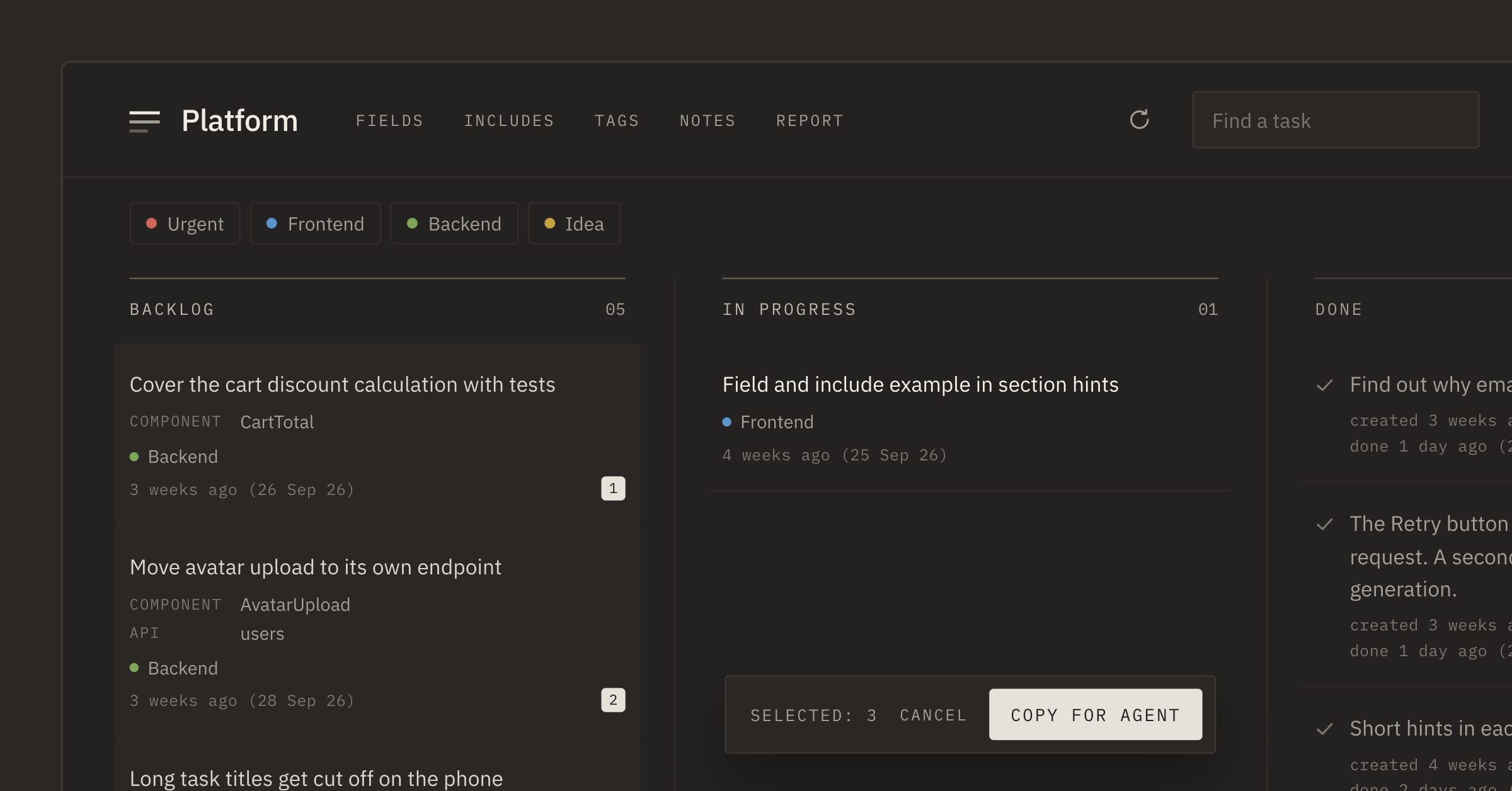
On Friday the "Platform" backlog had three ready tasks: "Cover the cart discount calculation with tests", "Move avatar upload to its own endpoint" and "Long task titles get cut off on the phone". Each had its fields and includes picked, and the expected result was clear.
In PRO the agent can work with the board itself over MCP: read tasks and mark them done. You connect it once in Settings on the MCP tab.
The order
Tasks can be selected for the agent: the box by the date on a card, ⌘/Ctrl + click, or a long press on a phone. A selected task gets a number — its place in the queue. At the bottom of the board you see "Selected: 3" and the "Copy for agent" button.
We didn't pick the order at random. Tests first: they don't change working code. Then the endpoint: it touches more, and it's good to have the tests in place by then. The phone title last: we'll check it ourselves on a real phone anyway.
One line
"Copy for agent" puts one line on the clipboard: the project, the task IDs and a request to do them one by one via the Tascue MCP server.
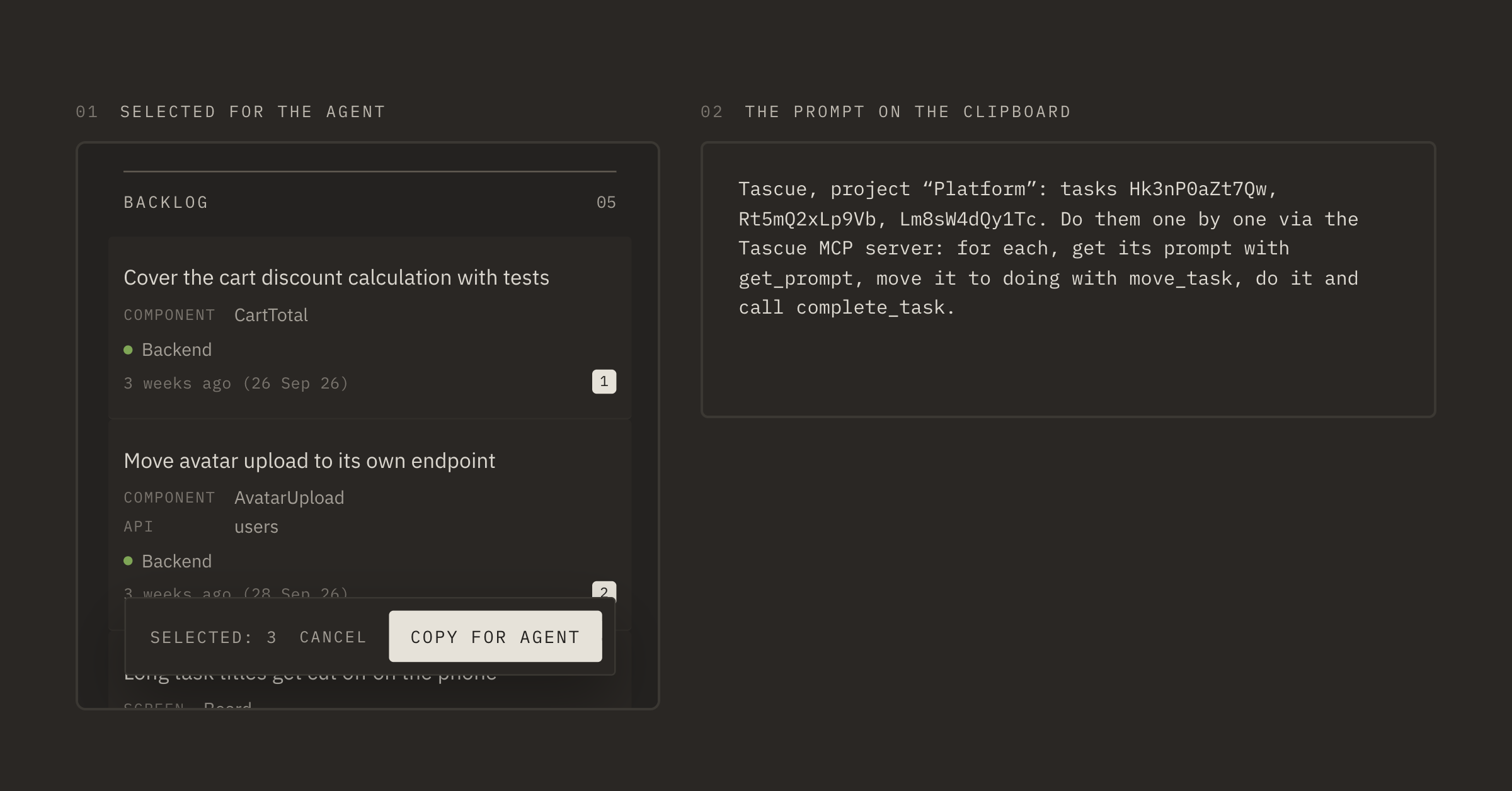
We pasted it into the agent and left. For each task the agent gets the full prompt, with fields and includes, moves the task to In progress, does it and marks it done.
What we found when we came back
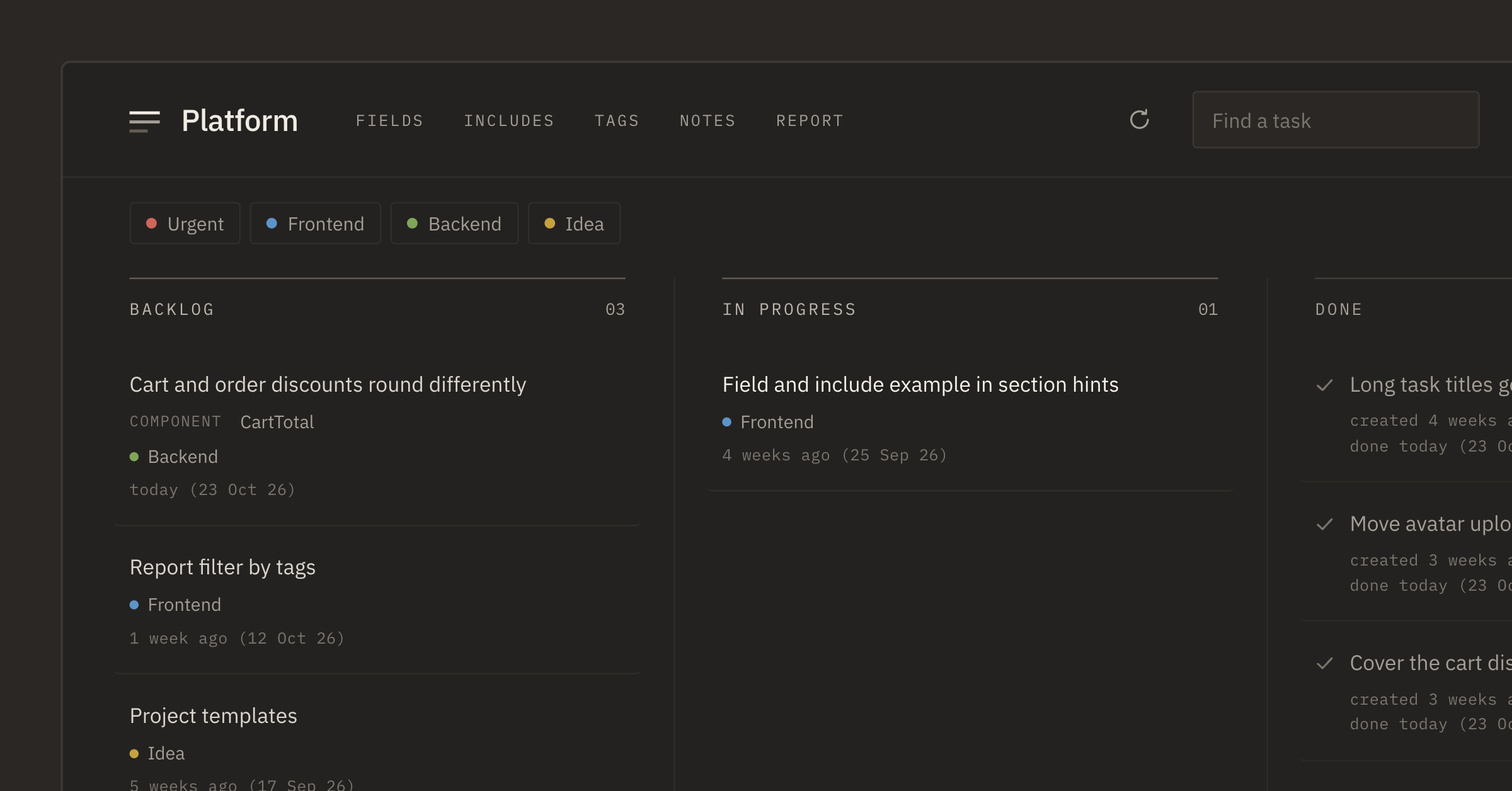
An hour later all three tasks were in Done. And the backlog had a fourth one: "Cart and order discounts round differently".
The agent wrote it down. While writing the tests it noticed the mismatch but didn't fix it, since that wasn't in the task. We have a shared include: "Everything you noticed but did not do, add as a task to the Tascue backlog". The agent did exactly that, with a tag and a field like the other tasks.
We sorted out that task ourselves later, like any other.
Checking
The agent moving a task to Done only means it has finished. On Saturday morning we read the changes and checked the title on a phone. Two tasks were fine; in the third we asked to rename a parameter: moved it back to In progress and added one sentence.
The changes still have to be checked. But you don't have to sit next to the agent all evening copying tasks one by one.
If you give tasks one at a time, Settings has "Task ID in the prompt" on the MCP tab. Then "Copy and start" adds a line with the task ID to the prompt, and the agent marks the task done itself.