Claude Code Worktrees: How to Run Two Tasks in Parallel
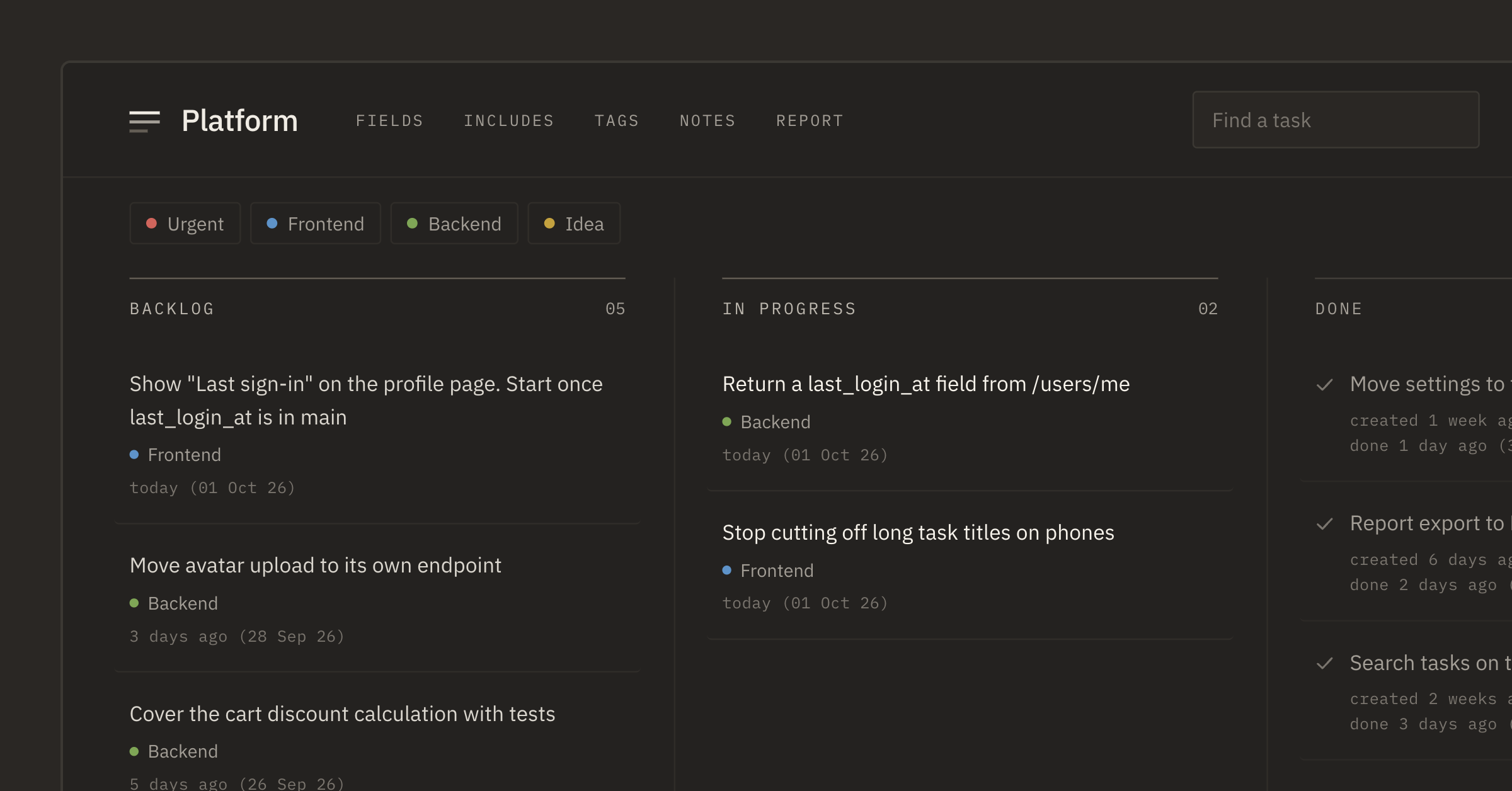
There are three small tasks in one repository's backlog:
- Return a
last_login_atfield from/users/me. - Stop cutting off long task titles on phones.
- Show "Last sign-in" on the profile page.
Each takes the agent about twenty minutes. Run two sessions in the same folder, and they'll edit the same files and get in each other's way. Do the tasks one by one, and most of the time goes into waiting.
Two of them can go to agents at the same time, and the third has to wait. In Tascue all three sit in the project backlog, and the start condition is written right in the text of the third. Below: how to split two tasks across worktrees and in what order to accept the results.
Two sessions, two working folders
A Git worktree is one more working copy of the same repository, on its own branch. Claude Code has a flag for it:
claude --worktree last-login
In a second terminal:
claude --worktree mobile-titles
Claude Code creates .claude/worktrees/last-login/ and .claude/worktrees/mobile-titles/ on the branches worktree-last-login and worktree-mobile-titles. Each session edits its own files and doesn't see the other's changes.
A few things worth doing once:
- add
.claude/worktrees/to.gitignore; - put a
.worktreeincludefile with the line.envin the repository root, so local settings get copied into every new folder; - remember that a worktree is a fresh checkout: dependencies have to be installed there again.
If you need an existing branch or a folder outside the repository, plain git works:
git worktree add ../app-last-login -b last-login
cd ../app-last-login && claude
Why the third task waits
The first two tasks don't overlap: one changes the users API, the other the card CSS. They can run at the same time.
The third one needs the last_login_at field, and no branch has it yet. Start it now, and the agent will either make up the field or build its own version of the first task. Then you'd have to sort out two versions of the same thing.
There's a second reason. By default, claude --worktree branches from the default branch on the remote, not from your local one. So the third task should start once the first one is merged and pushed.
Check each change on its own
When the agents are done, you check each folder separately.
In last-login, run the API tests and look at the response:
cd .claude/worktrees/last-login
pytest tests/users
In mobile-titles, open the board in a browser at 375 px wide and check a long title.
Each diff is small and about one thing, so checking takes a couple of minutes. If something is off, you see it right away and don't have to guess which of the two tasks broke a test.
The order to accept them in
-
last-login first, because the third task depends on it. Merge into
mainand push. -
mobile-titles second. If
mainhas moved on, update the branch from it and run the tests again. -
Last sign-in on the profile only now:
claude --worktree last-login-profileThe new branch already has the
last_login_atfield.
When you exit a session that still has changes, Claude Code asks whether to keep the worktree or remove it. Merged ones can go.
Where to keep the order
The order in which tasks can start and be accepted is easy to keep in your head while there are three. With ten, it starts to slip.
In Tascue all three tasks sit in the project backlog. The dependency is written right in the text of the third one: "Start once last_login_at is in main." Each task says how to check it, so checking the two folders follows a ready list. Two tasks go to In progress, the third waits at the top of the backlog. You don't have to remember it: it starts when it becomes possible.