Telling a task out loud
Many of our tasks come from conversations with users. Someone shares their screen and tells us where they got lost and what they expected. Twenty minutes give you a dozen details.
Then it all has to be written down. Typing a long text is tedious, so the backlog gets "redo the generation screen" and the details stay in your head. By the evening some of them are gone.
Telling is easier than writing
When you explain out loud, it naturally comes out as "he clicked, waited, clicked again because he thought it didn't work". When you type, you want to shorten it to "double click". And with that, the reason the person clicked a second time is lost.
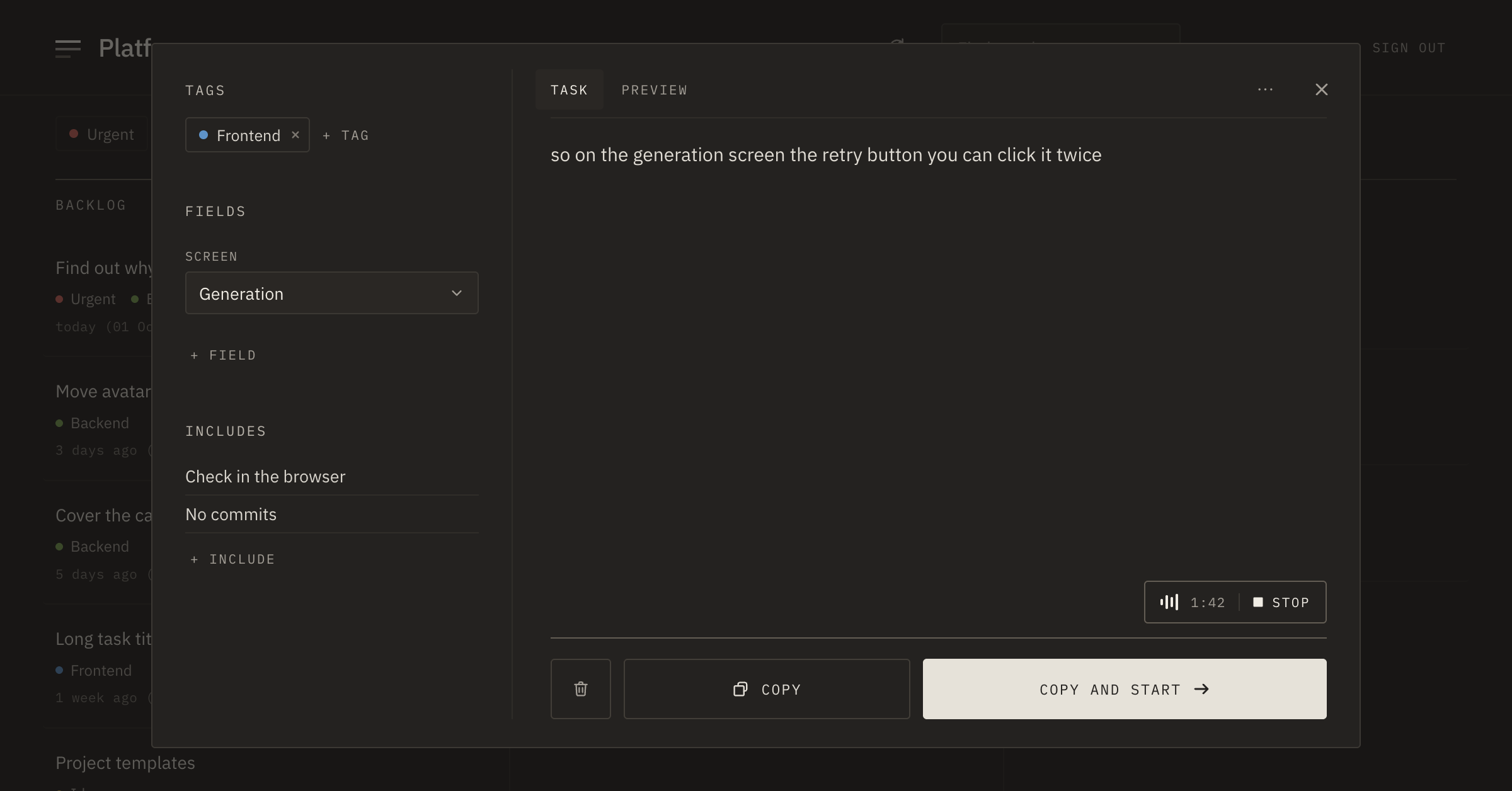
That's why the task window in PRO has dictation. In the corner of the text area there's a microphone button; hover over it to see how many minutes are left this week: "Dictate · 42 min". Press it and talk — the text appears in the task as you speak. "Stop" — and it stays there as if you had typed it.
Two minutes after a call
After talking to a user who got lost on the generation screen, we opened a new task and spent two minutes describing what we saw. It came out like this:
so on the generation screen the retry button you can click it twice while the request is going and then it starts two generations so it should be disabled until the answer comes back and also maybe show a spinner
All the details are there, but it's hard to read: no full stops, no paragraphs.
Tidy up and read
Next to the microphone there's "Tidy up". It removes filler words and repetitions, adds punctuation and splits the text into paragraphs. It adds nothing of its own: facts, names and requests stay as they were. If you don't like the result, "Restore original" brings the text back.
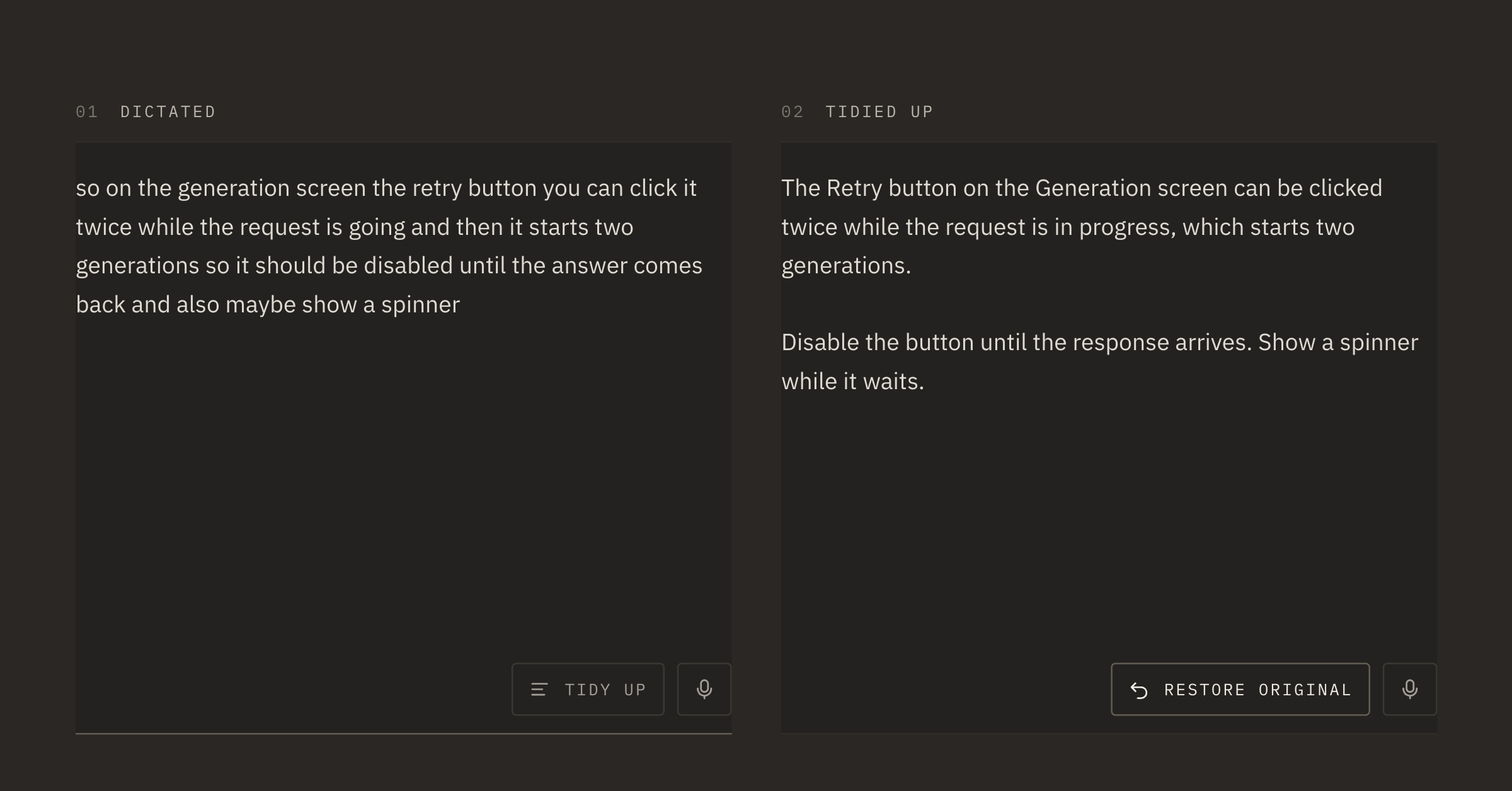
We still reread the tidied text. While reading you notice: "I forgot to mention Regenerate in the block menu" — and add it by hand. Or you decide whether to keep "maybe show a spinner": we weren't sure about the spinner ourselves yet.
On the way
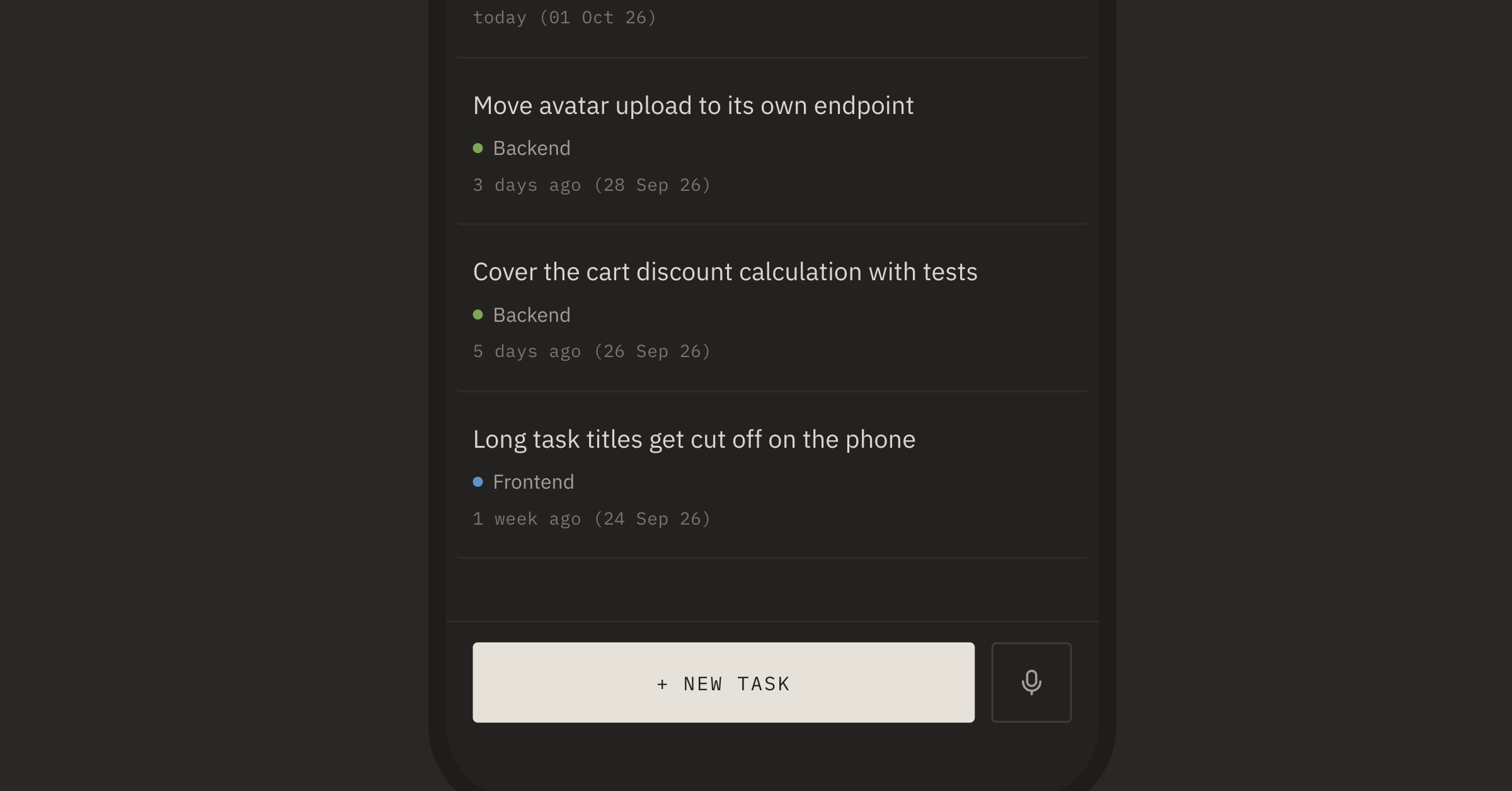
We often dictate from a phone. On the board, next to "+ New task", there's a microphone button, "New task by voice": it opens a new task with dictation already on. The task goes to the backlog, and fields, includes and proofreading can wait until you're at a computer.
About limits
PRO gives 180 minutes of dictation a week and 100 tidy-ups. One recording lasts up to 5 minutes in a row. What's left is shown in Settings on the Usage tab; it renews on Monday.
A task usually takes a minute or two. If the story doesn't fit into five, it often means there are actually several tasks.